How Do I Set Up Automatic Bill Payments at a Puerto Rico Bank?
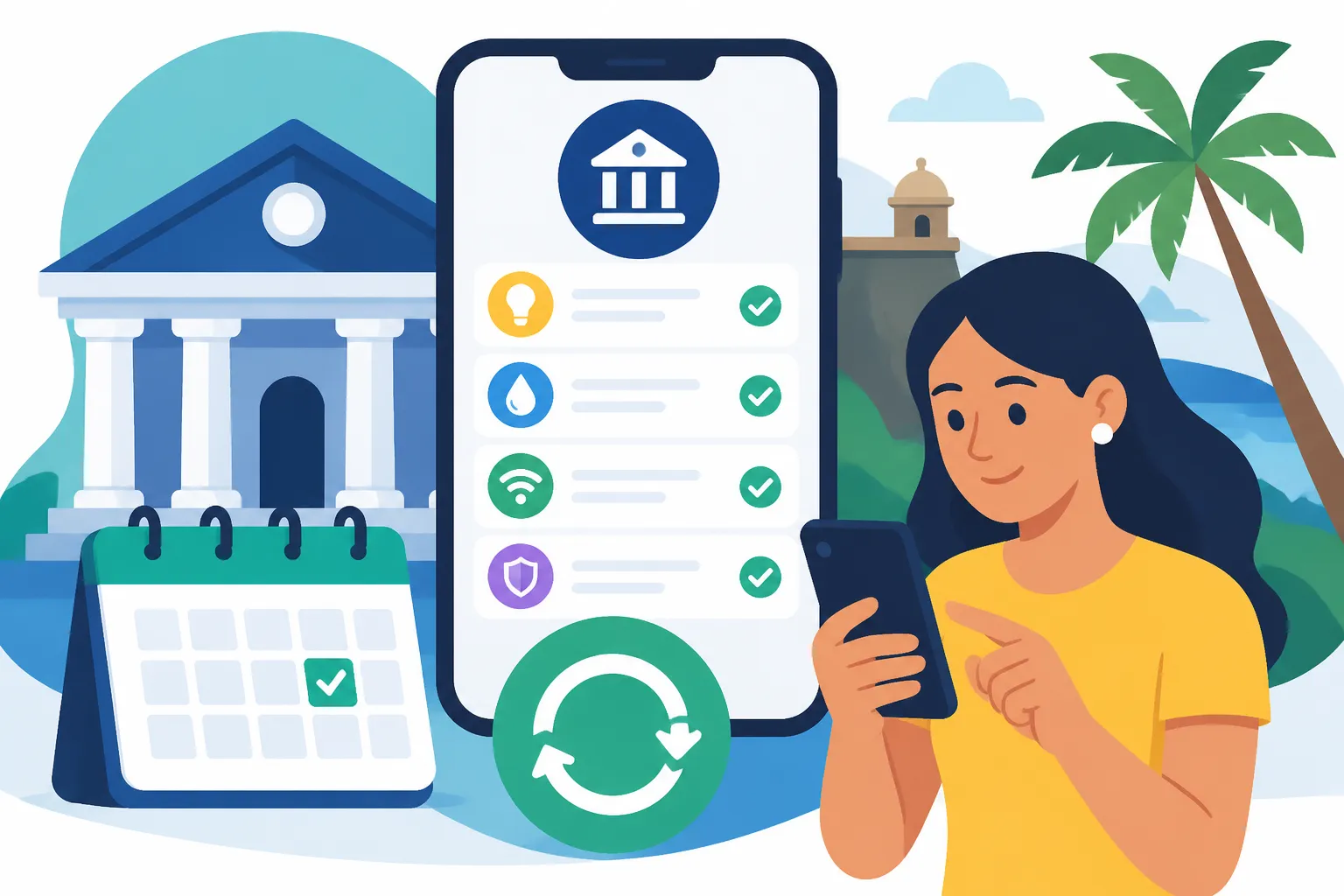
You moved to Puerto Rico, opened an account at a local bank, and now a stack of bills is landing at once: LUMA for electricity, AAA for water, Liberty or Claro for internet, condo fees, maybe a CRIM notice. Paying each one by hand every month is tiring, and missing one can mean a reconnection headache. This guide shows you how to set up automatic bill payments at a Puerto Rico bank, step by step, and how to keep them from failing quietly.
How Automatic Bill Payments Work at Puerto Rico Banks
When I first arrived and settled into a small apartment in Guaynabo, I assumed “autopay” meant one thing. It means two different things, and the difference matters more here than it did on the mainland. Billers on the island are sometimes slow to post payments, customer service lines can have long hold times, and if a payment lands in the wrong place, fixing it may take a phone call in Spanish and some patience. Knowing which kind of autopay you are setting up, and who controls it, saves a lot of that pain.
Bank Bill Pay Versus Biller Auto-Debit
The first kind is bank bill pay, often labeled “Pago de Facturas” or “Pagos” in the Spanish interface of your online banking. You log into your bank, add the company as a payee, and tell the bank to send a fixed amount on a fixed date, either once or on a repeating schedule. This is a “push” payment. You control it completely. The biller never sees your bank details, and you can edit or cancel it from your own banking app in a few taps. The downside is that a fixed amount does not adjust when your electricity bill jumps during a hot August, so you can end up underpaying or overpaying.
The second kind is biller auto-debit, usually called “débito directo,” “pago automático,” or “domiciliación” depending on the company. You go to the biller’s portal or fill out a form, give them your bank’s routing number and your account number, and authorize them to pull whatever the bill amount is each cycle. This is a “pull” payment. It adjusts automatically to the bill, which is great for variable utilities. The trade-off is that you are trusting the company to pull the right amount at the right time, and if they make a billing error, the money leaves your account before you have a chance to argue.
The third option, which many people end up using for at least some bills, is card autopay. You save a debit or credit card in the biller’s portal and let them charge it each month. It behaves like auto-debit but runs over card networks instead of directly through your checking account. Cards expire and get replaced after fraud alerts, and every time that happens, every card autopay you set up quietly breaks until you update it.
What You Need Before You Start
Before you touch any settings, gather a few things. Having them ready turns a frustrating hour into a fifteen-minute job.
- An active checking account (“cuenta de cheques”) at a local bank or cooperativa, with online banking enrolled. If you are still at the account-opening stage, see How to Open a Bank Account at a Puerto Rico Bank as a Newcomer first.
- Your bank’s routing number and your full account number. The routing number is printed on your checks and is usually visible inside the online banking app under account details.
- A recent bill from each company, so you can copy the exact account or contract number. Utility bills in Puerto Rico can show several numbers, and you want the one the company labels as the account number for payments.
- Access to the email address and phone number tied to your bank profile, because adding payees or changing payment settings often triggers a one-time verification code.
- A rough calendar of when each bill arrives and when it is due.
If online banking is not set up yet, that is its own small project with its own password rules and security questions. How to Set Up Online Banking with a Puerto Rico Bank covers enrollment, device registration and the verification steps in detail.
What the Main Island Banks Typically Offer
The three big local banks you will run into are Banco Popular, FirstBank and Oriental. All three offer online and mobile banking with a bill pay section where you can add payees and schedule payments. Popular’s digital platform is branded Mi Banco, and its payee directory tends to include the major island billers already, which makes adding LUMA or AAA a search rather than a manual entry. FirstBank and Oriental have similar bill pay tools in their digital banking, with menus that let you choose between one-time and recurring payments.
Cooperativas, the member-owned credit unions found in nearly every municipality, also offer online banking, but the feature set varies widely from one cooperativa to another. Some have full bill pay with a large payee directory. Others mainly support transfers and card payments, which means you would lean on biller auto-debit or card autopay instead. If you are weighing a cooperativa, ask specifically whether they support recurring bill payments before you move your direct deposit there. Can I Open an Account at a Cooperativa in Puerto Rico? explains the membership side.
Whatever bank you use, check its own help pages for details on fees, cutoff times and how many days in advance a payment must be scheduled. Those details change and differ by account type, so the bank’s own page is the place to confirm them.
Step-by-Step Setup Through Your Bank’s Online Banking
This is the core of the process. I am going to walk through it the way it actually goes on a Saturday morning at the kitchen table with a cafecito, a pile of envelopes and a phone that keeps asking for verification codes.
Adding Your Billers as Payees
Before you can schedule anything, each company needs to exist as a payee in your bank profile. The labels differ slightly between banks, but the flow is nearly identical.
- Log into your bank’s website or mobile app and switch the language to English if you prefer. Most local banks offer both, though some sub-menus stay in Spanish.
- Open the bill pay section. Look for “Pago de Facturas,” “Pagos,” “Bill Pay” or “Pay Bills.”
- Choose the option to add a new payee, often labeled “Añadir Comercio,” “Añadir Beneficiario” or “Add Payee.”
- Search the payee directory for the company name. Try both the short name and the formal name. For water, search for “AAA” and also “Autoridad de Acueductos.” For electricity, search “LUMA.”
- Select the correct entry. Some companies appear more than once, for example a residential and a commercial listing. Pick the one that matches your account type.
- Enter your account number exactly as it appears on your bill, without spaces or dashes unless the form asks for them.
- Add a nickname you will recognize, like “LUMA Apartamento” or “Liberty Internet.”
- Confirm with the verification code sent to your phone or email.
If the company is not in the directory, you can usually add it manually with its name and mailing address. Be aware that manual payees are often paid by a paper check the bank mails on your behalf, which is slower and harder to track. For anything time-sensitive, I would rather use the biller’s own auto-debit than a manual check payee.
A small but real frustration: billers sometimes show your account number in one format on the paper bill and another in their online portal. When I added my water account, the bank rejected the number twice before I realized I was copying a meter number instead of the account number. If the bank says the number is invalid, look at the bill again for a field clearly labeled as the account number, and if in doubt, call the biller and ask which number banks should use for payments.
Scheduling Recurring Payments the Smart Way
Once payees exist, you can automate them. Here is the process I follow for any bill where the amount is stable or predictable.
- From the bill pay screen, select the payee.
- Choose “Recurrente,” “Recurring” or “Repetir,” rather than a one-time payment.
- Pick the frequency, which for most household bills is monthly.
- Choose the payment date. Set it several business days before the due date printed on your bill, not on the due date itself, because the bank’s send date and the biller’s posting date are not the same day.
- Enter the amount. For fixed bills like internet or a condo fee, use the exact amount. For variable bills, see the strategy below.
- Choose an end condition: no end date, a set number of payments, or a specific end date. If you are on a one-year lease, matching the end date to the lease is a nice way to avoid paying for a place you no longer live in.
- Review the summary screen carefully, then confirm.
- Take a screenshot of the confirmation page or save the confirmation number. If a dispute ever comes up, that number is your best friend.
For variable bills, like electricity, you have two reasonable strategies with bank bill pay. One is to set a recurring amount slightly above your typical bill, so you build a small credit balance with the company over time. The other is to schedule a monthly reminder for yourself and pay the exact amount as a one-time payment each cycle. The first is more hands-off, but you need to glance at your statement every couple of months to make sure the credit is not growing too large. If your electricity bill has been swinging in ways you do not understand, Why Is My LUMA Electricity Bill So High in Puerto Rico? digs into estimated readings and seasonal spikes.
Setting Up Direct Debit With the Biller Instead
For bills that change every month, biller auto-debit is often the cleaner solution. The general flow looks like this.
- Create an account in the biller’s online portal or app using your account number from a paper bill.
- Find the payments section and look for “Pago Automático,” “AutoPago” or “Débito Directo.”
- Choose bank account rather than card, unless you specifically want card rewards.
- Enter your bank’s routing number and your checking account number, and choose checking as the account type.
- Read the authorization text, which explains when the company will pull funds and how to cancel.
- Confirm enrollment and save the confirmation.
- Keep paying manually until your next bill clearly shows that auto-debit is active. Enrollment rarely kicks in for the bill that is already open, and assuming otherwise is how people end up with a late notice in their first month.
That last step is the one I learned the hard way. I enrolled in auto-debit for my electricity on the day the bill arrived and assumed that cycle was covered. It was not. The enrollment applied from the next cycle, and I got a past-due notice two weeks later. Now I always pay the current bill manually and let auto-debit take over from the following one.
The table below summarizes the trade-offs between the methods.
| Method | Who Controls It | Best For | Main Advantage | Main Risk |
|---|---|---|---|---|
| Bank bill pay, recurring | You, from your bank | Fixed bills like internet, condo fees, rent paid to a company | Easy to pause or cancel from one place | Fixed amount does not adjust to variable bills |
| Biller auto-debit | The biller, with your authorization | Variable utilities like electricity and water | Always pays the exact billed amount | A billing error is pulled before you can dispute it |
| Card autopay with the biller | The biller, charging your card | Subscriptions, mobile plans, streaming | Card protections and possible rewards | Breaks silently when a card is replaced |
| ATH Móvil scheduled or manual transfers | You, from the app | Paying individuals like a landlord or cleaner | Familiar locally and quick to the recipient | Not every app version supports full recurring automation, so reminders may still be needed |
| Mainland bank bill pay | You, from your mainland bank | Keeping things running during the transition | No need to rebuild everything right away | Island billers may not be in the payee directory, leading to mailed checks |
Bill-by-Bill Tips for Common Puerto Rico Payments
Every biller on the island has its own quirks. Here is how I handle the ones that show up in nearly every household.
LUMA Electricity and AAA Water
Electricity and water are the two bills I care most about automating, because the consequences of a missed payment are more disruptive than a late streaming subscription. Both are typically available in the payee directory at the big local banks, and both offer their own online portals where you can enroll in automatic payment.
My personal setup is biller auto-debit for electricity, because the amount swings with the seasons and with the number of fans and air conditioners running, and bank bill pay for water, where my bills are more stable. You can absolutely do the opposite, or use auto-debit for both. Whatever you choose, do not run both methods on the same account at the same time. Paying the same bill twice from two different places creates a credit that is tedious to recover, and it can confuse the biller’s records about which payment method is primary.
If you are moving into a new place and still need to open service in your name, that comes first, because you cannot automate payments on an account that does not exist yet. How to Set Up Electricity (LUMA) in Your Puerto Rico Home covers the service request itself. For a focused walkthrough of auto-debit on these two specific utilities, How Do I Set Up Auto-Pay for My LUMA and AAA Bills? goes into the portal screens.
One more practical note. Power outages and system maintenance sometimes affect billing schedules, and a bill can arrive later than usual or show an estimated reading. Biller auto-debit handles a late bill fine, since it pulls whatever is billed whenever it is billed. A fixed bank bill pay date, by contrast, can fire before the bill is even issued, leaving you with a credit one month and an underpayment the next. If you notice your utility bills arriving at irregular intervals, that is a good reason to switch those particular bills to auto-debit.
Internet, Mobile and Streaming
Internet and mobile providers on the island, like Liberty, Claro, T-Mobile and others, generally let you pay through bank bill pay or through autopay in their own apps. These are usually fixed monthly amounts, so recurring bank bill pay works well. Some providers present autopay enrollment as part of signing up for a plan, sometimes alongside paperless billing.
Streaming services, on the other hand, almost always want a card on file, so card autopay is the default. The thing to watch is card replacement. If your bank reissues your debit card after a fraud alert, which happens more often than you would like, every streaming service, cloud storage plan and app subscription will fail on its next renewal. When a new card arrives, I keep a running note on my phone of every service that uses the old card and update them all the same afternoon.
If you are still deciding which provider to sign with, it is worth checking what payment options each one offers before committing. How to Choose a Mobile and Internet Provider in Puerto Rico compares the main options for coverage and service.
Rent, Condo Fees, CRIM and Tax Payments
Rent is where island habits differ the most from mainland expectations. Many landlords in Puerto Rico, especially individual owners renting one or two units, prefer ATH Móvil, a direct bank transfer, or a check, rather than an online rent portal. When my friend Mari rented a place in Dorado, her landlord asked for rent by ATH Móvil on the first of each month. She could not fully automate it in the app version she had, so she set a recurring phone reminder and paid it in under a minute each month. That is a perfectly sensible compromise. If your landlord is open to it, a recurring bank transfer or recurring bank bill pay to the landlord’s account is fully automatic. Get the payment method written into your lease so there is no confusion later. How to Use ATH Movil and Local Payment Apps in Puerto Rico explains how the app works and how to link it to your bank account.
Condo association fees, known locally as cuota de mantenimiento, are usually paid to the association or its management company. Some associations have a portal with auto-debit. Others give you the association’s bank details and expect a monthly transfer. A recurring bank bill pay or transfer works well here because the amount is fixed until the association votes a change or a special assessment. When a special assessment is announced, remember to add it as a separate payment rather than editing your regular one and forgetting to change it back. Understanding HOA and Condo Maintenance Fees in Puerto Rico explains how these fees and assessments are structured.
Property tax through CRIM is billed on its own schedule rather than monthly, and if you have a mortgage, it may already be paid from an escrow account. If you pay it yourself, you can typically pay online or through your bank, and a one-time scheduled payment set well ahead of the due date is easier than trying to make it recur. How Do I Pay My Property Tax (CRIM) in Puerto Rico? covers the payment channels.
Tax payments deserve extra care. If you are self-employed, you may owe estimated payments to Hacienda through the SURI portal, and in some situations federal payments to the IRS as well. Many people schedule these as one-time payments set up for each due date, rather than relying on a generic recurring bill pay, because the amounts depend on your income for the period. How to Pay Estimated Taxes as Self-Employed in Puerto Rico explains the schedule and how the payments are calculated. If you are juggling both island and federal obligations and want help working out what you owe before you automate anything, a specialist preparer such as Taxes for Expats can help you figure out the amounts and the deadlines, so the payments you schedule are actually correct. Check their own site for current pricing and what their packages include.
Avoiding Failed Payments and Fixing Problems
Automation is only as good as the account behind it. The first time an autopay fails, it usually fails quietly, and you only find out when a late notice arrives or a service gets suspended. Here is how to keep that from happening, and what to do if it does.
Timing, Balances and Overdrafts
The single biggest cause of failed autopays is timing. Your paycheck lands on one schedule, your bills pull on another, and a holiday or weekend shifts things by a day or two. Puerto Rico observes both federal holidays and its own island holidays, and banks follow those schedules. A payment set to send on a bank holiday may be processed the next business day, which can push it close to a due date.
Here is the routine I use to keep things lined up.
- Write down the date your income arrives each month, whether that is direct deposit from an employer or a transfer from a client.
- List every bill with its usual due date.
- Schedule all automatic payments to send at least a few business days after your income lands and several business days before each due date.
- Keep a buffer in checking that covers at least one full month of automated bills, so a late paycheck does not trigger a chain of failures.
- Turn on low-balance alerts in your banking app so you get a push notification or text before an autopay hits an account that cannot cover it.
- Review all scheduled payments once a quarter, deleting any for services you have cancelled.
If your income arrives through direct deposit, getting that set up properly is half the battle. How to Transfer Money and Set Up Direct Deposit in Puerto Rico walks through giving your employer the right routing and account details.
Overdraft rules and fees vary by bank and account type. Some accounts will cover an autopay and charge a fee; others will reject the payment, which can trigger a returned-payment charge from the biller on top of any bank fee. Ask your bank which behavior applies to your account and whether you can link a savings account as overdraft protection. The exact charges are listed in your account’s fee schedule, which your bank is required to provide.
Paying From a Mainland Account or Across Currencies
Plenty of newcomers keep a mainland bank account for months, sometimes years, especially if they work remotely and their salary still lands there. You can often run some bills from a mainland account in the meantime, but island billers are not always in mainland banks’ payee directories. When they are not, your mainland bank may mail a paper check to the biller, which is slow and easy to misplace. Biller auto-debit using your mainland account’s routing and account number is often more reliable than mainland bill pay, though not every island biller accepts every mainland account. If you are deciding whether to keep that old account open long term, Can I Keep My Mainland Bank Account After Moving to Puerto Rico? covers the practical side.
A setup I see work well for remote workers is this: income keeps landing in the mainland account, a regular transfer moves a set amount to the local Puerto Rico account on a fixed day each month, and all island bills autopay from the local account. That way, the island bills draw from a bank that every local biller recognizes, and you have a single place to check balances for household expenses. What Is the Best Way to Send Money Between the Mainland and Puerto Rico? compares the transfer options between accounts.
If you are a foreign national paid in another currency, such as euros, pounds or Canadian dollars, the challenge is converting money into US dollars before your bills pull. Puerto Rico uses the US dollar, so every local bill is in dollars. A service like Wise can be useful here: you can convert your foreign-currency income and send dollars to your local Puerto Rico account ahead of your bill dates, instead of relying on a traditional international wire. Their fees and exchange rate details are shown on their own site, so check those before choosing it. The key is to schedule that conversion and transfer early enough that the money has settled in your local account before your autopays run. I would treat the transfer itself as the first item in your monthly payment calendar, ahead of every bill. For anyone in this situation, Wise also lets you hold a balance in more than one currency, which helps if you want to time conversions rather than converting the same day a bill is due.
What to Do When a Payment Goes Missing
Sooner or later, something will go sideways. A payment shows as sent in your bank, but the biller says it never arrived. Or the money left your account, but the bill still shows a balance. It is stressful, especially when a service could be cut off, but it is almost always fixable.
- Do not pay again immediately. Paying twice creates a second problem on top of the first.
- Open the payment in your bank’s bill pay history and note the confirmation number, the amount, the send date and the account number you entered.
- Check the account number against your current bill. A single wrong digit sends the payment to the wrong account or causes it to be rejected.
- Look at the method. If the payment was sent by mailed check, it may simply still be in transit.
- Call the biller with your confirmation number and ask them to trace the payment. If your Spanish is limited, ask for an English-speaking representative. Many island companies have bilingual staff, though you may wait a bit longer.
- If the biller cannot find it, contact your bank and ask them to trace it from their side. Banks can usually confirm where an electronic payment went and when.
- If a service suspension is imminent, ask the biller whether a manual payment now, with the traced payment refunded or credited later, will prevent the cut-off. Get the representative’s name and a reference number for the call.
- Once resolved, fix the root cause: correct the account number, switch from check to electronic payment, or move the bill to biller auto-debit.
Having been through this a few times, the best advice I can give is to keep records. Screenshots of confirmations, a note of call reference numbers, and a simple monthly habit of glancing at each bill to confirm the last payment posted will save you hours. If you want a broader picture of local bank options before committing your autopays to one institution, How to Choose the Best Bank for Newcomers in Puerto Rico compares the main banks on features that matter for day-to-day life.
Once everything is running, automatic bill payments are one of the quiet joys of settling in. The first month you realize your electricity, water, internet and condo fees all paid themselves while you were at the beach in Isla Verde, it feels like you have finally moved in.
Disclaimer
This article is for general informational purposes only and does not constitute professional advice. Laws, prices and regulations vary by location and change over time. Consult a qualified professional for guidance on your specific situation.