How Do I Set Up Internet in My Puerto Rico Home?
Ay, the internet! It's one of those things we absolutely rely on these days, isn't it? Moving to Puerto Rico, you quickly realize that while some things are familiar, setting up your digital lifeline can feel like navigating a maze carved into a mountain. You're trying to get settled, unpack, maybe start a new remote job, and all you want is reliable Wi-Fi, but figuring out who to call and what to expect can be a real headache. This guide is here to unravel that mystery, providing a no-nonsense, realistic walkthrough of getting your home internet set up on the island.
Understanding Your Options for Internet Service in Puerto Rico
Alright, let's talk about the lay of the land when it comes to getting connected here in la isla del encanto. It's not as straightforward as just picking "the big one" you might be used to on the mainland. Coverage, speed, and even the type of connection can vary wildly depending on where you've decided to make your new home.
Major Providers and Their Offerings
You'll quickly learn that a few main players dominate the internet service landscape in Puerto Rico. The biggest names you'll encounter are Liberty, Claro, and Aeronet. Each has its own strengths and weaknesses, and honestly, your choice might be dictated more by your specific location than by personal preference alone.
Liberty Puerto Rico is often seen as the biggest player, especially for residential customers. They acquired the operations of Choice Cable and then AT&T's wireline business, effectively becoming a powerhouse. They primarily offer cable internet, and their footprint is quite extensive, covering many urban and suburban areas like San Juan, Guaynabo, Bayamón, and even extending to parts of the west and south. Speeds can be quite competitive, often ranging from 100 Mbps up to gigabit speeds in some areas. Their packages frequently bundle internet with cable TV and phone services, which can be convenient if you're looking for an all-in-one solution. However, like any large provider, customer service experiences can be a mixed bag, and getting an installation scheduled can sometimes require a bit of patience.
Claro Puerto Rico, part of América Móvil, is another significant contender. They offer a mix of DSL (Digital Subscriber Line), fiber optic, and fixed wireless internet. While DSL is an older technology and generally slower, it might be the only option in some of the more rural areas. However, Claro has been steadily expanding its fiber optic network, especially in denser urban centers. If you're lucky enough to be in a fiber-served area, Claro's speeds can rival or even surpass Liberty's, offering extremely fast and reliable connections. Their mobile network is also very strong, so if you're looking for a provider that can handle both your home internet and your phone, Claro might be a good fit.
Then there's Aeronet, which often flies a bit under the radar for residential customers but is a serious player, particularly for businesses and those seeking high-speed, dedicated connections. Aeronet specializes in fiber optic internet and fixed wireless solutions, often serving areas where traditional cable or DSL infrastructure might be less robust or slower. They're known for their customer service and reliability, though their pricing can sometimes be a bit higher, reflecting the premium service. If you're working remotely and absolutely cannot compromise on internet stability, it’s worth checking if Aeronet serves your specific location.
Beyond these giants, you might encounter smaller, local providers, especially in more niche communities or specific housing developments. Sometimes these smaller companies can offer surprisingly good service and more personalized support, so it's always worth asking around in local community groups or with neighbors.
Types of Internet Connections Available
When you're comparing providers, you'll see different types of internet connections, each with its own characteristics. Knowing the difference can help you manage your expectations and pick the best fit for your needs and location.
Fiber Optic Internet is the gold standard. This technology uses thin strands of glass to transmit data using light signals, allowing for incredibly fast symmetrical speeds (meaning upload and download speeds are often the same or very close). It's the most reliable connection type, least susceptible to interference, and generally offers the lowest latency, which is great for gaming, video conferencing, and large file transfers. Both Claro and Aeronet are actively expanding their fiber networks. If fiber is available in your area, jump on it! It usually provides the best experience.
Cable Internet is what Liberty primarily offers. It uses the same coaxial cables that deliver cable television. Speeds are generally very good, often reaching hundreds of megabits per second, and are usually sufficient for most households. However, cable internet is an "asymmetrical" connection, meaning download speeds are much faster than upload speeds. Also, since you're sharing bandwidth with your neighbors on the same local node, speeds can sometimes fluctuate during peak usage hours when everyone in your neighborhood is online.
DSL (Digital Subscriber Line), primarily offered by Claro in older areas, uses traditional copper phone lines. This is typically the slowest option, with speeds usually topping out at a few dozen Mbps. It's often asymmetrical, like cable. While it's generally reliable, it can be impacted by your distance from the provider's central office. If you're in a very rural area, DSL might be your only wired option, but it’s definitely not ideal if you require high speeds for work or streaming.
Fixed Wireless Internet works by transmitting internet signals over radio waves from a central tower to an antenna at your home. This can be a great option in areas where wired infrastructure (fiber, cable, DSL) is sparse or nonexistent. Providers like Aeronet offer this. Speeds can vary greatly depending on your line of sight to the tower, weather conditions, and network congestion, but it can provide a decent alternative to satellite internet (which is usually slower and has higher latency).
The Local Realities: Speed, Reliability, and Coverage
Here’s where the expat experience really kicks in. The "gigabit speeds available!" advertised by providers might sound fantastic, but the reality on the ground can be a bit different. Your exact street, sometimes even your specific building, can determine what’s truly available and how reliable it will be.
Coverage is incredibly spotty outside of major metropolitan areas like San Juan, Ponce, or Mayagüez. Venture into the mountains or some of the more remote coastal towns, and your options might shrink dramatically. You could go from having fiber and cable choices in Condado to only DSL or fixed wireless just 20 minutes inland. This is why it’s absolutely crucial to do your homework based on your exact address. Don’t rely solely on what a provider’s website says if you’re moving to a less-populated area; always call them directly and give them your precise address to verify serviceability.
Reliability is another big one. While internet infrastructure has improved significantly since Hurricane María, outages still happen. Power fluctuations, heavy rain, or even construction work can knock out service. Having a backup plan, like a reliable mobile hotspot or a strong mobile data plan, is almost a necessity for many residents, especially if you work from home. Sometimes these outages are brief, but other times they can last for hours or even a full day. It's part of the island living charm, I suppose! This is where something like an eSIM from Airalo can really save your bacon if your primary internet goes down, ensuring you have a digital lifeline on your phone or tablet.
Speed, as mentioned, can be inconsistent. You might subscribe to a 500 Mbps plan, but during peak hours, or if there's a localized issue, you might see slower speeds. It's not always a constant 500 Mbps download all the time. Upload speeds, particularly with cable internet, are notoriously slower than download speeds, which can be a real pain if you frequently upload large files, participate in video calls, or stream content out. Manage your expectations and be prepared for some variability.
The Step-by-Step Process to Get Connected
Okay, you've scoped out the providers and connection types. Now comes the exciting (and sometimes frustrating) part: actually getting that sweet, sweet internet flowing into your home. This process, like many administrative tasks here, requires patience, persistence, and often a good sense of humor.
Researching Availability and Comparing Plans
Before you do anything else, you must verify service availability at your specific address. Seriously, this isn't a suggestion, it's a golden rule. Go to the websites of Liberty, Claro, and Aeronet, use their online availability checkers, and then, crucially, call their customer service lines. Sometimes the online tools aren't fully updated, or they don't capture nuances that a representative can. Give them your exact address, even down to the apartment number if you're in a multi-unit building. Ask them what types of service are available (fiber, cable, DSL, fixed wireless) and what speeds they can guarantee for your location.
Once you know what's available, it's time to compare plans. Don't just look at the advertised monthly price. Dig into the details:
- Contract Length: Are you signing up for 12 months, 24 months, or a no-contract month-to-month plan? Longer contracts often come with lower initial prices but higher early termination fees.
- Promotional Rates: Many providers offer attractive introductory rates that jump significantly after 6 or 12 months. Make sure you know what the regular price will be so you're not hit with a surprise bill.
- Equipment Fees: Do you need to rent a modem and router from them? What are the monthly fees for that? Sometimes it's cheaper to buy your own compatible equipment, but verify compatibility first.
- Installation Fees: Is there a one-time charge for installation? Are there any waivers or promotions that reduce or eliminate it?
- Bundling Options: If you need cable TV or a landline, see if bundling saves you money. Just remember, the more services you bundle, the harder it can be to change or cancel later.
Keep notes during your calls. Write down the name of the representative, the date, and what was promised. This can be invaluable if you encounter discrepancies later. For a deeper dive into choosing the right internet provider, you might find "How to Choose a Mobile and Internet Provider in Puerto Rico" very helpful.
What Documents You'll Need
Ah, paperwork! The bane of many an expat's existence, and getting internet in Puerto Rico is no exception. While specific requirements can vary slightly by provider and whether you're a new or existing customer, here's a general list of what you should have ready:
- Valid Photo ID: Your U.S. driver's license or passport will typically suffice.
- Proof of Address: This is usually a utility bill (LUMA, AAA) in your name. If you're brand new and haven't set up utilities yet, a signed lease agreement or property deed can work. Sometimes, a recent bank statement with your Puerto Rico address is also accepted. This step can be a bit of a chicken-and-egg situation for newcomers, so be prepared to explain your situation.
- Social Security Number (SSN): Most providers will require this for a credit check. If you don't have an SSN or are hesitant to provide it, you might be asked for a larger security deposit or to prepay for several months of service.
- Payment Method: A credit card or bank account for automatic payments. Be aware that some providers might initially require a local bank account for direct debit. If you're still navigating your finances on the island, our guide on "Banking in Puerto Rico: A Complete Guide for Newcomers (2027)" could be useful.
The key here is to have everything organized. The more prepared you are, the smoother the application process. Don't be surprised if they ask for something that wasn't on this list; just roll with it and provide what they need.
Scheduling Installation and What to Expect
Once you've chosen a plan and completed the paperwork, it's time to schedule the installation. This is where your patience will truly be tested. Installation windows are often wide – think "8 AM to 5 PM" – and punctuality isn't always a strong suit.
- Scheduling: When you schedule, ask for the earliest available date. Sometimes it can be a few days, other times a week or two, especially during peak moving seasons or after a major event.
- The Day Of: Clear your schedule for the entire day. Seriously. The technician might arrive early, late, or right in the middle of the window. They'll need access to your home and possibly to utility boxes outside. Ensure someone 18 or older is present.
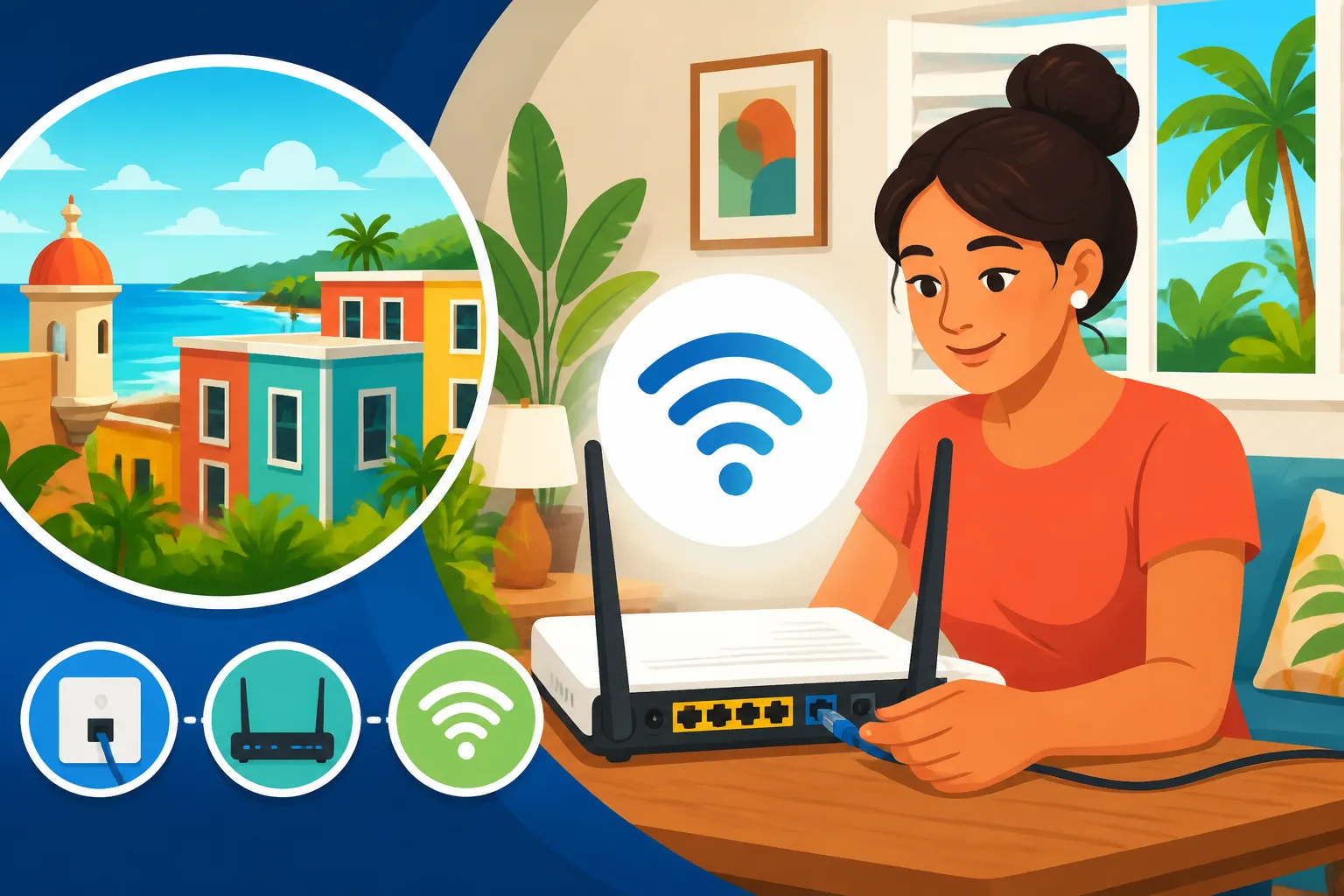
- Technician Visit: The technician will typically run new cables if needed, install the modem/router, and set up your Wi-Fi network. They'll also test the speeds to ensure everything is working correctly. Don't be shy about asking questions or for them to show you where things are connected.
- Testing: Once they're done, immediately connect a device (laptop, phone) and run a speed test (e.g., Speedtest.net). Compare the results to the speeds you were promised. If they're significantly lower, politely ask the technician to investigate. Sometimes it's an easy fix; other times it might indicate a broader issue.
Be prepared for potential language barriers, though many technicians in urban areas will speak some English. A friendly attitude and a willingness to use a translation app can go a long way. This is all part of "The Complete Guide to Moving to Puerto Rico: Your First 90 Days (2027)" experience – expect the unexpected and adapt!
Troubleshooting and Tips for a Smooth Experience
Once you're finally connected, the journey isn't over. Living in Puerto Rico means you'll occasionally face challenges with your internet, from minor glitches to full-blown outages. Knowing how to troubleshoot and enhance your setup can save you a lot of grief.
Dealing with Outages and Customer Service
Outages happen. It's a fact of life here, whether due to a problem with your provider, the general electrical grid (thanks, LUMA!), or even local construction. When your internet goes out, the first thing to do is not panic.
- Check Your Equipment: Unplug your modem and router for about 30-60 seconds, then plug them back in. Wait a few minutes for them to fully reboot and re-establish a connection. This simple step fixes a surprising number of issues.
- Check for Localized Outages: Many providers have apps or websites where you can check for reported outages in your area. This can save you a frustrating call to customer service if it's a known issue.
- Contact Customer Service: If a reboot doesn't work and there's no reported outage, it's time to call. Be prepared for potentially long wait times and language challenges. Clearly explain your issue, provide your account number, and any troubleshooting steps you've already taken. Again, remember to note down who you spoke with and what was discussed.
- Patience is Key: Escalating immediately won't always speed things up. A calm, persistent approach usually yields better results. Follow up if a promised technician visit doesn't materialize or if the issue persists. You might find some parallels with managing other utilities; our guide to "How to Set Up Electricity (LUMA) in Your Puerto Rico Home" shares similar advice.
Enhancing Your Home Network
Once your internet is installed, you can take steps to optimize your in-home Wi-Fi experience. The standard modem/router provided by your ISP might not be the best for your specific home layout or usage patterns.
- Router Placement: Place your router in a central location, ideally off the floor and away from thick walls, large metal objects, and other electronics that can cause interference (like microwaves or cordless phones).
- Wi-Fi Extenders/Mesh Systems: If you have a larger home or multiple floors, a single router might not provide adequate coverage. Wi-Fi extenders can boost the signal, but mesh Wi-Fi systems (like Eero, Google Nest Wifi, or Netgear Orbi) are often a better solution. They create a seamless network throughout your home, eliminating dead zones and providing more consistent speeds.
- Ethernet for Stationary Devices: For devices like smart TVs, gaming consoles, or desktop computers, a wired Ethernet connection is always superior. It provides faster, more stable speeds and reduces congestion on your Wi-Fi network.
- Upgrade Your Router: If you're renting an older router from your provider, consider buying a newer, more powerful one. Newer routers support Wi-Fi 6 or even Wi-Fi 7 standards, offering better performance, especially in congested environments. Just make sure it's compatible with your internet service.
A well-optimized home network can make a significant difference in your daily digital life, reducing frustration and maximizing the speeds you're paying for.
Alternative Solutions and Staying Connected on the Go
Sometimes, your home internet just isn't cutting it, or you need to be connected outside your house. Thankfully, Puerto Rico offers several alternatives.
- Mobile Hotspots/Tethering: Your smartphone can be a lifesaver. Most modern smartphones allow you to create a personal hotspot, sharing your mobile data connection with other devices. This is invaluable during power outages or if your home internet is down. Make sure your mobile plan includes a decent amount of hotspot data. For new residents, learning "How to Set Up a Mobile Phone Plan in Puerto Rico?" is a must.
- Portable Wi-Fi Devices (MiFi): These dedicated devices create a Wi-Fi network using a cellular connection. They're great for travel or as a dedicated backup internet source. You can purchase one from major carriers like T-Mobile or AT&T, or even get a prepaid version.
- eSIMs for International Roaming/Travel: While not a home internet solution, if you're frequently traveling off-island or need a quick data boost, services like Airalo offer eSIMs for various countries and regions. This means you can get data without swapping physical SIM cards, which is incredibly convenient for short-term needs or while waiting for your permanent setup.
- Public Wi-Fi: Many cafes, restaurants, and public spaces offer free Wi-Fi. While convenient for casual browsing, be cautious about security when conducting sensitive transactions on public networks.
Having a robust plan for staying connected, both at home and away, will significantly reduce stress as you adapt to island life.
Costs and Contract Considerations
Understanding the financial aspects and contractual obligations of your internet service is paramount to avoiding unwelcome surprises. It’s not just about the monthly fee; there are often many layers to consider.
Understanding Pricing Structures and Hidden Fees
Internet pricing in Puerto Rico, much like elsewhere, can be a bit of a labyrinth. Providers love to advertise attractive introductory rates that can seem too good to be true – and often, they are.
- Introductory vs. Standard Rates: Almost all providers offer a promotional price for the first 6, 12, or even 24 months. After this period, your bill will increase, sometimes significantly. Make sure you know what the standard rate for your chosen plan is, and factor that into your long-term budget. Don’t get caught off guard!
- Equipment Rental Fees: Most providers charge a monthly fee for their modem and router. This might seem small, but it adds up over time. Over a two-year contract, you could easily pay hundreds of dollars in rental fees. Often, you have the option to buy your own compatible equipment, which can be a smart investment in the long run. Just ensure compatibility with your specific service and speed.
- Installation and Activation Fees: While some promotions waive these, it's common to see a one-time charge for professional installation and activating your service. Always ask if these can be waived or reduced.
- Taxes and Surcharges: Your advertised price rarely includes all government taxes and fees. Expect a few extra dollars to be tacked on for things like municipal taxes, regulatory fees, and other surcharges. The total on your bill will always be slightly higher than the quoted base price.
- Data Caps: While less common with wired home internet in Puerto Rico these days, always confirm if your plan has a data cap. Exceeding it can lead to throttling (slower speeds) or overage charges.
- Late Payment Fees: As with any utility, late payments will incur fees. Setting up automatic payments from a local bank account is highly recommended to avoid this hassle.
Always read the fine print of any offer. If something isn't clear, ask the representative to explain it in detail, and if possible, get it in writing or refer to the terms and conditions on their website.
Navigating Contract Terms and Early Termination
Contracts are a reality with most internet providers, especially if you want the best promotional rates. Understanding the terms of your contract is crucial to avoid penalties if your circumstances change.
- Contract Length: Common contract lengths are 12 or 24 months. Be clear on when your contract officially ends. Mark it on your calendar!
- Early Termination Fees (ETFs): This is the big one. If you cancel your service before your contract term is up, you will almost certainly be charged an early termination fee. These can range from a fixed amount to a prorated amount based on the remaining months of your contract. If you anticipate moving or needing to cancel within a year or two, consider a month-to-month plan, even if it has a slightly higher base price. It offers more flexibility.
- Cancellation Process: Cancelling internet service is rarely as easy as signing up. You'll likely need to call customer service, sometimes multiple times. Be prepared for retention specialists trying to offer you new deals. Make sure you get a confirmation number for your cancellation and instructions for returning any rented equipment. Keep a record of everything.
- Returning Equipment: If you rent a modem or router, you'll need to return it to avoid additional charges. Get a receipt for the returned equipment. These details can seem minor, but they can save you a lot of grief down the line. When you're planning a big move, finding the right internet provider is just one of many pieces. Platforms like Sirelo can help you organize the logistics of the entire move, ensuring you don't miss any critical steps, including utility setups and understanding cancellation policies.
| Provider | Primary Connection Types | Typical Speeds (Download) | Coverage (General) | Pros | Cons |
|---|---|---|---|---|---|
| Liberty PR | Cable | 100 Mbps – 1 Gbps | Most urban/suburban areas, widespread | Extensive coverage, bundled services, generally good speeds | Customer service can be inconsistent, upload speeds often lower |
| Claro PR | Fiber, DSL, Fixed Wireless | 50 Mbps – 1 Gbps+ (Fiber) | Urban fiber rollout, DSL in rural, growing fixed wireless | Fast fiber speeds, strong mobile network integration | DSL can be very slow, fiber not everywhere, customer service varies |
| Aeronet | Fiber, Fixed Wireless | 100 Mbps – 1 Gbps+ | Targeted urban/business, expanding high-demand areas | Excellent reliability, symmetrical speeds, good customer support | Can be more expensive, less widespread residential coverage |
Navigating the internet landscape in Puerto Rico can certainly feel like a journey, but with a bit of research, patience, and realistic expectations, you'll get your home connected. It’s all part of the adventure of making this beautiful island your home!
Disclaimer
The information provided in this guide is for general informational purposes only and does not constitute professional advice. While we strive to provide accurate and up-to-date information, the internet service landscape in Puerto Rico is subject to change, including pricing, availability, and terms of service from providers. We recommend verifying all details directly with internet service providers and consulting with appropriate professionals for your specific situation.