How to Set Up Internet and Cable in Puerto Rico
You’ve finally made the leap to the beautiful shores of Puerto Rico, unpacked your bags, and are ready to settle in. But then comes the moment of truth: you need internet and cable. What seems like a straightforward task back on the mainland can quickly turn into a series of head-scratching moments and a test of patience here on the island. This guide is here to walk you through the sometimes-bumpy, sometimes-smooth road of getting your home connected, offering realistic advice and sharing what to expect.
Navigating the Internet and Cable Landscape in Puerto Rico
When you first arrive, you might be surprised to find that while the island is part of the US, the internet and cable landscape can feel a bit different. Gone are the myriad of choices you might have had, replaced with a more concentrated market. It’s essential to understand who the players are and what kinds of services they offer to make the best choice for your new home.
Major Service Providers and Their Offerings
The telecommunications market in Puerto Rico is primarily dominated by a couple of big names, with a few smaller, specialized providers making inroads, especially in the fiber optic space. Understanding their core offerings will be your first step in getting connected. Most residents will likely encounter Liberty Puerto Rico and Claro Puerto Rico as their main options for home internet and television.
Liberty Puerto Rico is a prominent player, having significantly expanded its footprint through various acquisitions over the years. They typically offer a range of bundled services, including internet, digital television, and landline phone service. Their internet speeds vary widely depending on your location, often delivered via coaxial cable, but they are also expanding their fiber network. Many expats find their services quite comprehensive, and they are generally perceived as a reliable option, particularly in urban and suburban areas where their infrastructure is well-established.
Claro Puerto Rico, part of América Móvil, is another formidable competitor, especially known for its robust fiber optic network in many parts of the island. If you're looking for lightning-fast, symmetrical internet speeds, Claro's fiber-to-the-home might be exactly what you need. They also offer television and phone services, often bundled with their internet plans. Claro has made significant investments in modern infrastructure, making them a strong choice if fiber is available in your specific neighborhood, delivering speeds and reliability that coaxial cable sometimes struggles to match, especially during peak usage.
Beyond these two giants, you might encounter smaller, more localized providers like Optico Fiber in specific developments or towns, often offering cutting-edge fiber internet exclusively. These smaller providers can sometimes offer more personalized service or unique packages, but their availability is much more limited. It's always a good idea to inquire locally about what options your neighbors use, as service availability can be highly granular, varying from one block to the next.
Choosing Between Connection Types: Fiber, DSL, and Satellite
Understanding the different types of internet connections available is crucial because it directly impacts your speeds, reliability, and what’s even possible at your specific address. You’ll primarily encounter fiber optic, coaxial cable (often branded as "broadband" by companies like Liberty), and, in some rarer cases, DSL or satellite internet.
Fiber optic internet is generally considered the gold standard here in Puerto Rico, just as it is everywhere else. Services like those offered by Claro Fiber provide direct fiber-to-the-home connections, meaning light pulses carry your data, resulting in incredibly fast upload and download speeds, low latency, and high reliability. If you're a heavy streamer, gamer, or work remotely and rely on constant, stable video calls, fiber is what you want. Its availability is growing, especially in newer developments and denser urban areas like parts of San Juan, Dorado, and Mayagüez, but it's not island-wide. If your property is fiber-ready, jump on it.
Coaxial cable internet, commonly provided by Liberty, uses the same lines as traditional cable television. It's robust and widely available across many residential areas. While it offers respectable download speeds, upload speeds are typically much slower, and performance can sometimes degrade during peak usage times when many users in your neighborhood are online simultaneously. This "shared bandwidth" model is a characteristic of cable internet. For most casual internet users, streaming, and light remote work, cable internet is more than sufficient.
DSL (Digital Subscriber Line) internet, which uses traditional phone lines, is increasingly becoming a legacy technology. You might only encounter this in very older homes or extremely rural areas where more advanced infrastructure hasn't been deployed. It's generally the slowest and least reliable option, so if it's your only choice, prepare for a more basic internet experience. Satellite internet, on the other hand, from providers like HughesNet or Viasat, is reserved for the most remote corners of Puerto Rico where no other wired options exist. While it offers connectivity, it comes with significant trade-offs, including high latency (delay) that makes real-time applications like video calls or online gaming frustrating, and often has data caps and higher costs.
Temporary Connectivity Solutions for Newcomers
Moving to a new place is overwhelming enough, and arriving at your new home only to find you have no internet can add a layer of stress you don't need. Getting permanent home internet installed in Puerto Rico can take time, sometimes weeks, so having a temporary solution is not just a luxury—it's a necessity. This is especially true if you're working remotely or need to communicate with family and friends immediately.
One of the quickest ways to get online when you first land is by utilizing your smartphone. If your mainland phone plan includes international roaming or has a generous data allowance that extends to Puerto Rico, you might be able to use your phone's hotspot feature for basic internet needs. However, be wary of potential charges or data throttling. It’s wise to check with your current provider before you travel to understand their specific policies and costs for Puerto Rico. Often, mainland plans treat Puerto Rico like an international destination, which can lead to surprisingly high bills if you're not careful.
A more reliable and often more cost-effective temporary solution is to purchase a local SIM card or an eSIM upon arrival. Providers like Claro and Liberty (through their mobile services) offer prepaid plans that include significant data allowances. You can pop a local SIM into an unlocked phone, or use an eSIM if your device supports it. For instance, Airalo offers eSIMs for Puerto Rico, allowing you to activate a data plan almost instantly without hunting down a physical store or changing your primary SIM. This gives you immediate mobile data, which you can then use as a hotspot for your laptop or other devices until your home internet is installed. It's a fantastic stop-gap for the initial days or weeks.
Portable Wi-Fi hotspots, sometimes called "MiFi" devices, are another option. You can purchase these devices, often pre-loaded with data, from local electronics stores or directly from the main service providers. These devices create a personal Wi-Fi network wherever you go, powered by cellular data. They are perfect for sharing an internet connection among multiple devices or if you need to work from various locations before your home setup is complete. Just remember to monitor your data usage, as these plans usually have caps, and exceeding them can lead to additional charges or reduced speeds.
The Practical Steps to Getting Connected
So, you’ve picked your provider and type of service. Now comes the nitty-gritty of getting it all installed. This part of the journey can feel a bit like a maze, but knowing the steps and preparing in advance can save you a lot of headaches. Just remember, island time is a real thing, and rushing through administrative processes rarely works.
Essential Documentation for Service Application
Getting internet and cable set up in Puerto Rico is going to require a bit of paperwork, similar to setting up any other utility. The service providers need to verify who you are, where you live, and your ability to pay. It’s a good idea to have all your ducks in a row before you even walk into a service center or make that call.
First and foremost, you'll need a valid form of identification. While a mainland driver's license might be accepted initially, a Puerto Rico driver's license or a passport is generally preferred for establishing long-term services. You'll also need your Social Security Number (SSN) or another tax identification number. This is critical for credit checks and for the provider to properly set up your account. Don't be surprised if they also ask for additional verification, especially if you're very new to the island and don't yet have a local credit history.
Proof of address is another non-negotiable requirement. This can be a bit of a Catch-22 if you’re just moving in and don't have other utility bills yet. Typically, a signed lease agreement is your best bet, or a copy of your property deed if you’ve purchased a home. If you've just signed your lease, make sure you have a physical copy, not just a verbal agreement, as the providers will need to see it. Our guide on How to Sign a Lease and Understand Tenant Law in Puerto Rico might offer some useful insights here. Sometimes, if you're living with someone temporarily, a letter from the homeowner stating you reside there, along with their utility bill, can work, but this is less common for primary internet setup.
Be prepared for the possibility of a security deposit. If you don't have an established credit history in Puerto Rico, or if their system can't find enough information about you, providers might ask for a deposit to start service. This is a common practice and not unique to Puerto Rico. It’s frustrating, but often unavoidable for newcomers. Keep copies of all the documents you provide and note down who you spoke with and when, just in case there are any discrepancies later on.
Ordering Service and Scheduling Installation
Once you have your documents ready, it's time to actually order your service. You generally have a few avenues for this, each with its own quirks and benefits. You can often start the process online, call their customer service number, or visit a physical service center.
Ordering online can be convenient, allowing you to browse plans and enter your information at your leisure. However, it might not be suitable for new residents who might have unique documentation requirements or need to clarify specifics. Often, the online system might not recognize you as a new customer in their database without an existing account or local identification. This is where a phone call or, even better, an in-person visit comes in handy.
Calling customer service allows you to speak directly with an agent, ask questions, and clarify any ambiguities regarding plans, pricing, or your documentation. Be prepared for potential language barriers, though many customer service representatives are bilingual. The downside is that call wait times can sometimes be long, and navigating automated menus can be a chore. If you find yourself repeatedly explaining your situation, it might be more efficient to visit a store.
Visiting a physical service center, like a Liberty store or Claro outlet, is often the most effective method for new residents. You can bring all your documents, ask questions face-to-face, and get immediate feedback on your application. This can be especially helpful if you’re trying to set up multiple utilities at once. However, be prepared for potential wait times at these locations as well, especially during peak hours. Once your application is processed, the provider will schedule an installation appointment. This is where patience truly becomes a virtue. Installation wait times can range from a few days to several weeks, depending on demand, your location, and the type of service you've chosen. Planning ahead is key here; consult a The Complete Relocation Checklist for Moving to Puerto Rico (2027) to time your utility setups.
Navigating the Installation Day
The day of your internet and cable installation is a critical step in finally getting connected. While it might seem straightforward, there are a few things to keep in mind to ensure everything goes smoothly and you avoid unnecessary delays or frustrating follow-up calls. Being prepared and present is half the battle.
First, ensure you or another adult is home during the entire scheduled installation window. These windows can often be several hours long, and technicians operate on their own schedule. Missing an appointment can lead to significant delays, requiring you to reschedule and potentially wait another week or two. It's a pain, but it's crucial for first-time installations. Make sure the technician has clear and safe access to where the cables enter your home, where the modem/router needs to be placed, and where any cable boxes will go.
When the technician arrives, don't be afraid to ask questions. They will typically run new lines if necessary, install the modem and router, connect any cable boxes, and activate the service. Take this opportunity to confirm the internet speeds you're supposed to be receiving. Ask them to perform a speed test on a wired connection if possible, and then on Wi-Fi in various parts of your home. Test your cable TV channels, if applicable, to make sure they are all working correctly. Don't let the technician leave until you are satisfied that everything is functioning as promised. It’s much harder to get them back for a minor tweak than to resolve it while they are still on-site.
Sometimes, despite best efforts, there might be a hiccup. Perhaps the Wi-Fi signal is weak in a certain room, or a specific channel isn't coming through clearly. Document any issues immediately. If the technician can't resolve it on the spot, ask for their supervisor's contact information or a reference number for your service ticket. You might need to follow up with customer service, but having as much detail as possible will help you when explaining the situation to a new representative. Remember, effective communication is key, even with potential language barriers.
Decoding Costs, Contracts, and Customer Service
Once you're connected, the journey isn't quite over. Understanding your bills, the terms of your contract, and how to navigate customer service is an ongoing part of living in Puerto Rico. These aspects often surprise newcomers, so a little foresight can save you from future headaches.
Understanding Service Plans, Hidden Fees, and Bundles
The advertised price for internet and cable in Puerto Rico can sometimes be an introductory rate that doesn't reflect the full cost you’ll pay after a few months or a year. It's essential to look beyond the flashy numbers. When you sign up, inquire about all the associated fees. This includes installation fees, activation fees, equipment rental charges for modems, routers, or cable boxes, and any local taxes and surcharges. These can add a significant amount to your monthly bill, sometimes making a seemingly cheap plan much more expensive.
Providers often push bundles that combine internet, TV, and sometimes landline phone service. While these can sometimes offer a discount compared to buying each service individually, critically assess if you actually need all components. Do you watch enough cable TV to justify the extra cost, or would a streaming service over an internet-only plan suffice? Do you need a landline phone in an era of mobile phones? Sometimes, the best "deal" is simply an internet-only plan if that's all you truly use. Be wary of promotional prices that expire, often after 6, 12, or 24 months, causing your bill to jump significantly.
Always compare pricing strategies between Liberty and Claro, and any other local providers available in your specific area. Prices can vary based on geography, so what a friend pays in Dorado might be different from what you pay in Ponce or San Juan. Don't hesitate to ask about current promotions for new customers or if they have any unadvertised deals. Customer service representatives sometimes have access to these. Keep a record of your plan details, including speeds, data caps (if any), and the breakdown of your monthly charges, so you can easily verify your bill each month.
Navigating Contracts and Termination Policies
Signing up for internet and cable in Puerto Rico almost always involves a contract, typically for 12 or 24 months. While these contracts secure your pricing (usually, at least for the promotional period), they also bind you to the provider. Understanding the terms of this agreement is crucial, especially if your plans might change, or if you find the service isn't meeting your expectations.
The primary concern with contracts is usually the early termination fee (ETF). If you decide to cancel your service before your contract is up—perhaps you're moving off-island, or you found a better deal, or you simply aren't happy with the service quality—you could be charged a substantial fee. These fees vary by provider and the remaining duration of your contract, sometimes amounting to hundreds of dollars. Before signing, ask explicitly about the ETF amount and how it's calculated. Can it be waived under certain circumstances, such as moving to an area where the provider doesn't offer service?
Reading the fine print of your contract before you sign is not just a suggestion, it's a necessity. Pay close attention to automatic renewal clauses, price change policies, and any stipulations about returning equipment. Many providers require you to return their modem, router, or cable boxes upon termination of service, and failure to do so can result in hefty charges. Ensure you get receipts or confirmation when returning equipment. Don’t rush through the sign-up process, and if anything is unclear, ask for clarification. It's much easier to address these details upfront than to deal with a surprise bill months down the line.
Realities of Customer Support and Language Barriers
Dealing with customer service for internet and cable can be a frustrating experience anywhere, but in Puerto Rico, it often comes with its own set of unique challenges. Setting your expectations beforehand can help mitigate some of that frustration. Patience, my friend, will be your most valuable asset.
First, be prepared for potential language barriers. While many customer service representatives at Liberty and Claro are bilingual and can assist you in English, you might occasionally encounter an agent whose English isn't as strong, especially when dealing with complex technical issues. This can lead to misunderstandings and prolonged calls. It helps to speak slowly and clearly, and if you have some basic Spanish, even better. If you find yourself in a difficult situation, politely ask if there's an English-speaking supervisor available, or try calling back at a different time.
Wait times for phone support can vary wildly. Sometimes you'll get through quickly, other times you might be on hold for a significant period. Consider using alternative support channels if they are available, such as online chat, email, or even social media. Some companies are more responsive on platforms like Facebook or Twitter. When you do get through, be persistent and clear about your issue. Have any relevant account numbers, dates, and previous interactions handy. If an issue isn't resolved, always ask for a case number or reference number for your call or interaction. This helps immensely when you need to follow up and saves you from having to explain everything from scratch again. While it might take more effort, being a polite but firm advocate for yourself is key to getting issues resolved.
Tackling Connectivity Challenges in Island Living
Life in Puerto Rico, while beautiful, sometimes throws a curveball when it comes to utilities and infrastructure. Internet and cable service are no exception. Understanding these potential challenges and having a plan can save you from a lot of stress down the line.
Managing Power Outages and Internet Downtime
One of the most significant realities of living in Puerto Rico, especially since Hurricane Maria, is the occasional power outage, locally known as an apagón. The island's power grid, managed by LUMA Energy, has seen improvements but is still susceptible to issues, particularly during heavy storms or even just a particularly windy day. A power outage, naturally, means your internet goes down too. Our How to Set Up Electricity (LUMA) in Your Puerto Rico Home guide touches on this, but its impact on your internet can be profound.
For short outages, a simple uninterruptible power supply (UPS) for your modem and router can be a lifesaver. These battery backups kick in immediately when the power goes out, giving you several minutes to a few hours of internet connectivity, depending on the UPS's capacity and your equipment's power draw. This is invaluable if you're in the middle of a work call or need to quickly check something online. They're relatively inexpensive and can be found at local electronics stores like Best Buy or online.
For longer outages, or for those who work remotely and rely heavily on constant connectivity, investing in a generator is a serious consideration. While it's a larger upfront cost, a reliable generator can power your entire home, including your internet equipment, during extended blackouts. Our article Understanding Solar Power and Backup Generators in Puerto Rico delves deeper into these options. Additionally, always have your phone's hotspot ready as a backup, ensuring you have enough cellular data to get by. And of course, being prepared for hurricane season, which often brings the most severe and prolonged outages, is paramount; refer to our guide on Understanding How to Prepare Your Home for Hurricane Season in Puerto Rico.
Addressing Geographic and Infrastructure Limitations
Puerto Rico is a diverse island, and its infrastructure development reflects that. What you experience in terms of internet and cable availability and quality in the bustling metropolitan area of San Juan might be vastly different from a tranquil mountain town or a remote coastal village. It’s an important consideration when choosing where to live and what kind of connectivity to expect.
In major urban centers and popular expat hubs like parts of San Juan, Dorado, and Mayagüez, you'll likely find a good selection of high-speed fiber optic and coaxial cable internet options from the major providers. These areas have seen the most investment in modern infrastructure due to population density and economic activity. Speeds here can rival those on the mainland, and reliability is generally good, barring power issues. However, even within these areas, service availability can be street-specific; one block might have fiber, while the next only has older coaxial infrastructure.
As you venture into more rural or less developed regions of the island, your options will diminish significantly. Fiber might be completely unavailable, leaving you with coaxial cable or, in very remote spots, potentially only slower DSL or even satellite internet. This can be a source of immense frustration for newcomers used to ubiquitous high-speed internet. If you're considering a move to one of the more serene, off-the-beaten-path locations, thoroughly research internet availability for that specific address before committing. Don't just rely on general information for the town; call the providers and give them the exact address.
When wired options are limited, mobile internet (via hotspot or USB modem) might be your only viable alternative. However, even cellular coverage can be spotty in mountainous regions or certain coastal areas. If a stable internet connection is paramount for your work or lifestyle, factor in the availability and quality of internet infrastructure when choosing your new home on the island.
Optimizing Your Home Wi-Fi for Island Living
Even with a great internet plan, poor Wi-Fi coverage within your home can make all those speeds feel pointless. Puerto Rican homes, especially older ones, are often constructed with concrete and cinder blocks, which are notoriously effective at blocking Wi-Fi signals. This means you might have blazing fast internet coming into your router, but dead zones in other rooms.
To combat the "concrete curse," proper router placement is critical. Try to place your Wi-Fi router in a central location in your home, preferably elevated and away from large metal objects or appliances that can cause interference. Avoid tucking it away in a closet or corner. If your home has multiple stories, consider placing it on the main floor or higher, or even halfway between floors if possible.
If a single router can't cover your entire home, a mesh Wi-Fi system is often the best solution. These systems use multiple access points that communicate with each other to create a seamless, strong Wi-Fi network throughout your house, eliminating dead zones. They are far more effective than traditional Wi-Fi extenders, which often create separate, slower networks. Brands like Eero, Google Nest Wi-Fi, or Netgear Orbi are popular choices and can significantly improve your home's wireless coverage. Alternatively, powerline adapters can extend your network using your home's electrical wiring, which can be useful for extending a wired connection to a specific device in another room, though their performance can be inconsistent. Investing in a good home Wi-Fi setup is just as important as choosing a fast internet plan, particularly given the unique construction of many homes here.
Smart Planning for a Seamless Transition
Moving to Puerto Rico is a big undertaking, and like any major life event, it benefits immensely from good planning. When it comes to setting up your internet and cable, being proactive and leveraging local knowledge can make all the difference in having a smooth, stress-free transition.
Timing Your Internet Setup with Your Relocation
One of the most common pitfalls newcomers experience is underestimating the time it takes to set up utilities, including internet and cable. You might assume it's a plug-and-play situation, or that an installation can be scheduled within a day or two, just like on the mainland. This is rarely the case in Puerto Rico. Waiting until you've fully moved in to call for service can leave you without internet for days, or even weeks, which can be incredibly frustrating, especially if you work remotely or need to stay connected with family.
The critical importance of planning your utility installations well in advance of your move-in date cannot be overstated. As soon as you have a confirmed address and a lease agreement (or deed), contact your chosen internet and cable provider. Aim to schedule your installation for a day or two after your move-in date, but before you desperately need the service. This foresight allows for any unforeseen delays in scheduling or technical issues that might arise. Our comprehensive guide on How to Plan Your Move to Puerto Rico Step by Step (2027) emphasizes the importance of a phased approach to utility setup.
If you're using a relocation service like Sirelo to manage your move, make sure to communicate your desired internet installation date clearly with them. They can sometimes help coordinate arrival times with utility appointments, reducing the chances of you arriving to an unfurnished, unconnected home. The nightmare scenario of arriving in a new, empty place with no electricity, water (see: Understanding Water Service (AAA) and Bills in Puerto Rico), or internet is unfortunately not uncommon. By being proactive and scheduling ahead, you can significantly reduce stress and ensure you have at least basic connectivity soon after you land.
Leveraging Local Knowledge and Expat Networks
One of the greatest resources you'll have as a newcomer to Puerto Rico is the wealth of information and experience shared within local expat communities and by long-time residents. When it comes to setting up internet and cable, this collective wisdom can be invaluable. Don't be shy about tapping into these networks.
Join local expat Facebook groups or online forums that focus on living in Puerto Rico. These communities are often brimming with people who have gone through the exact same process you are facing. Ask specific questions about internet and cable providers in your particular town or neighborhood. Residents can offer real-time advice on which providers are most reliable in their area, what actual speeds they get, and their experiences with customer service. Sometimes, you might even discover smaller, hyper-local providers that aren't widely advertised but offer excellent service in specific enclaves.
Beyond online groups, simply talking to your new neighbors once you've settled in can be incredibly insightful. They can tell you firsthand which provider they use, how often they experience outages, and who to call if you have a problem. This kind of anecdotal evidence, while not scientific, often gives you the most realistic picture of what to expect on your specific street. Moreover, you might even find recommendations for English-speaking contacts within the larger companies, which can be a huge advantage when navigating complex technical support issues. Local insights can save you from making choices based solely on advertised prices, helping you prioritize reliability and service quality over potentially fleeting introductory offers.
Troubleshooting Common Connectivity Issues
Even with the best planning, you might encounter an internet hiccup or two. Knowing some basic troubleshooting steps can save you a phone call to customer service and get you back online faster. While the issues can be frustrating, many common problems have simple solutions.
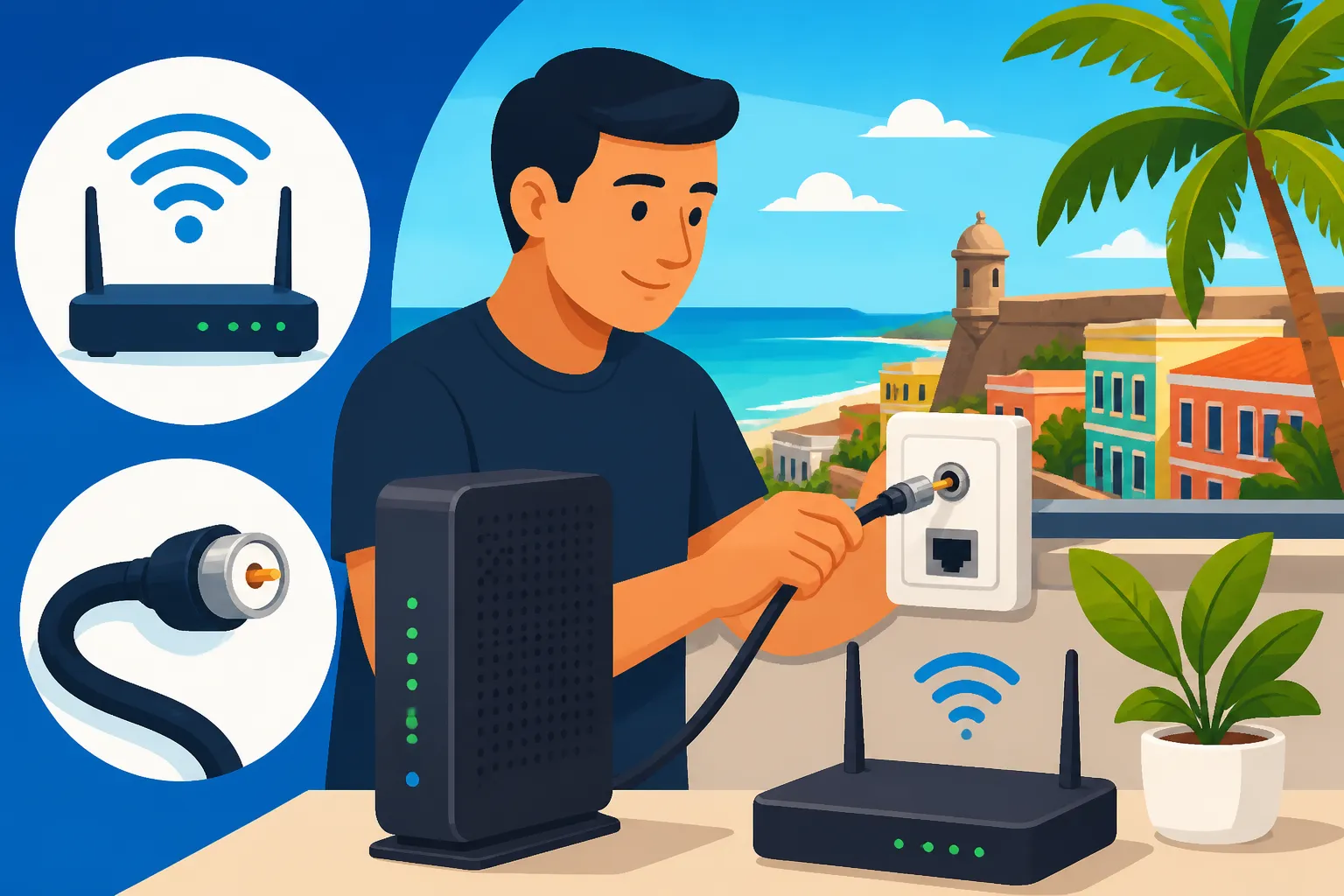
The first and most universal troubleshooting step is the good old "reboot." Unplug your modem and router from the power outlet, wait for about 30-60 seconds, and then plug them back in. Allow a few minutes for the devices to fully power up and reconnect to the network. This simple act often resolves many temporary connectivity glitches, from slow speeds to intermittent dropouts. It’s like giving your devices a fresh start. If you're running a mesh Wi-Fi system, reboot all nodes as well.
If a reboot doesn't work, check all your cables. Ensure that the coaxial cable or fiber optic cable connecting to your modem is securely screwed in or plugged in, and that the Ethernet cables connecting your router to your modem (and to any wired devices) are snug. Loose connections are a surprisingly common cause of internet problems. Also, verify that all indicator lights on your modem and router are behaving as they should according to the manufacturer's manual (e.g., solid green lights for connectivity, not blinking or orange). These lights often tell you the status of your connection.
If you've checked everything and still have no internet or very slow speeds, it might be time to contact your provider. Before you call, though, quickly check if there are any known outages in your area. Many providers have status pages on their websites, or you can check local news outlets and social media. This way, you'll know if it's a widespread issue or specific to your home. When you do call, have your account number ready, and be prepared to describe the problem clearly and precisely. Remember, sometimes persistence is required to get a satisfactory resolution.
Disclaimer
This guide is intended for informational purposes only and does not constitute professional advice. While we strive to provide accurate and up-to-date information, local laws, regulations, and service offerings in Puerto Rico can change. We recommend consulting with local experts or directly with service providers for the most current and personalized guidance regarding your specific situation.